Application
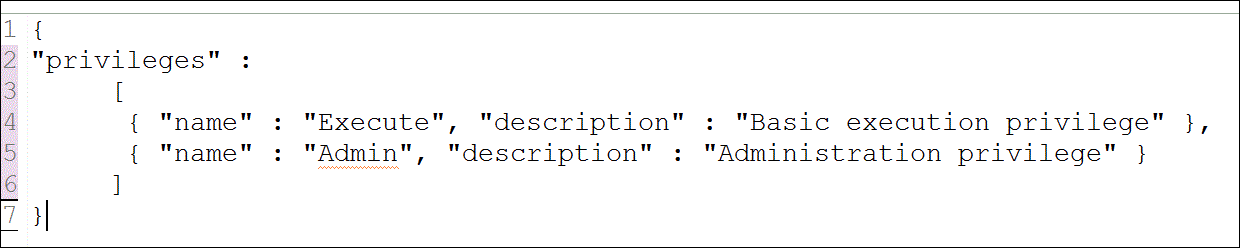
Privileges file (.xsprivileges)
- This file enables you to define the authorization levels required for access to an application.
- This privileges can be assigned to individual role or users.
- The
.xsprivileges file must reside in the same application package that you want to
define access privileges for.
- And
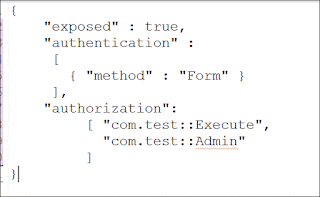
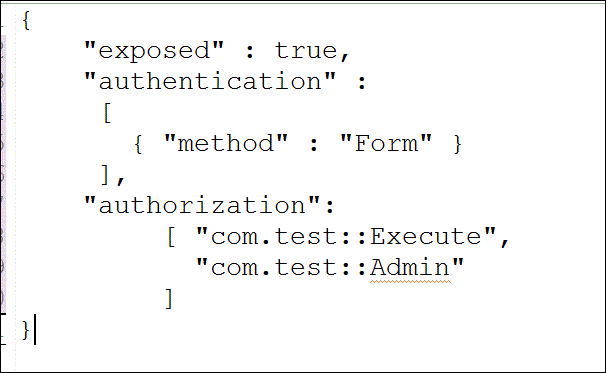
you must also add a corresponding entry in the same application’s .xsaccess
file.
For example: Using the authorization keyword. - The application privileges file
does not have a name; it has only file extension .xsprivileges.
The content of the .xsprivileges file must be formatted according to the JavaScript Object Notion (JSON) rule. - Multiple .xsprivileges files are
allowed but only at different levels in the package hierarchy.
You can’t define two .xsprivileges files in the same application package. - The privilege name is unique to the package to which it belongs and, as a result, can be used in multiple .xsprivileges files in different packages.
- After
activation of .xsprivileges object, the only user who by default has the
application privileges specified in the .xsprivileges file is the _SYS_REPO
user.
- To
grant application privileges to other user, use the procedure or _SYS_REPO.
GRANT_APPLICAITON_PRIVILEGES.
REVOKE_APPLICATION_PRIVILEGES. - How to create it ?
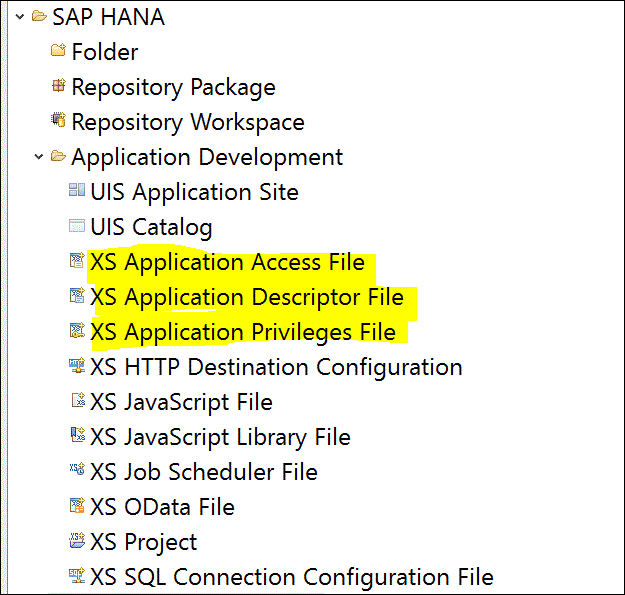
- Open SAP HANA Studio.
- Open SAP HANA development Perspective.
- In the Project Explorer tab, right click on the folder where you want to create it.
- In context menu,
NewàOtheràSAP HANAàApplication DevelopmentàXS Application Privileges file. - Finish it.

- Now open the .xsprivileges file from project and edit it and activate it.

- Example:
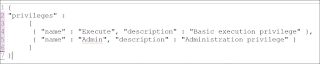
Suppose this file is located in package com.test then the following privileges will be created.
com.test::Execute
com.test::Admin - After
activation of .xsprivileges object, the only user who by default has the
application privileges specified in the .xsprivileges file is the _SYS_REPO
user.
To grant application privileges to other user, use the procedure or _SYS_REPO.
GRANT_APPLICAITON_PRIVILEGES.
REVOKE_APPLICATION_PRIVILEGES.
- Also,You
need to create an entry of these privileges in .xsaccess file also by using keyword authorization.